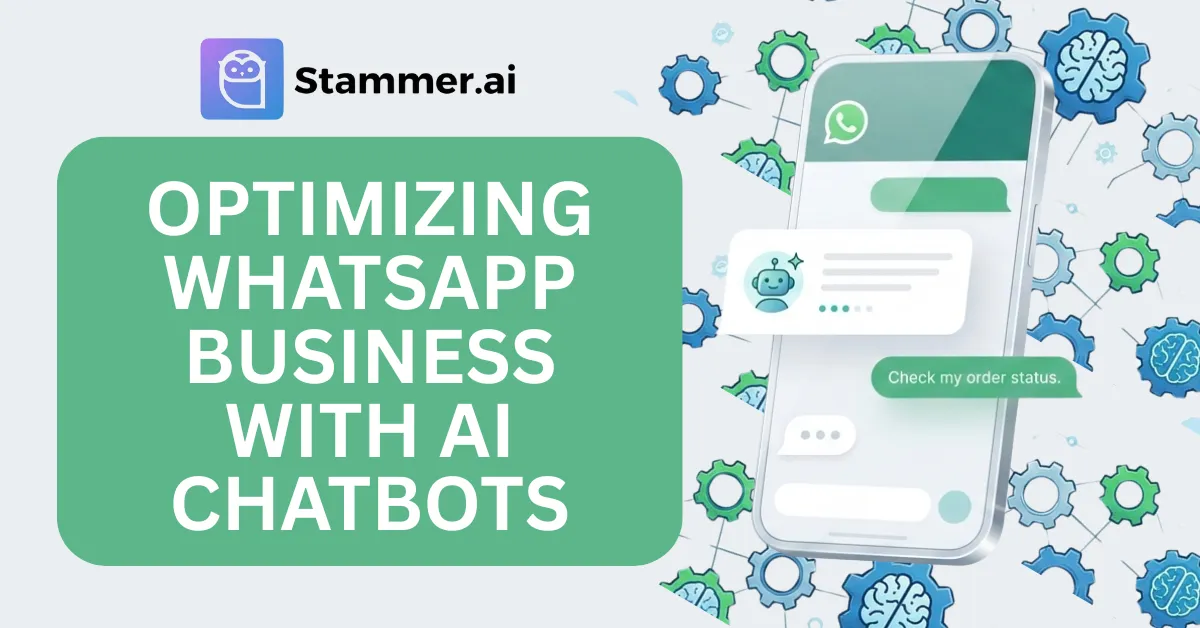
Guide to Optimizing Your WhatsApp Business with AI Chatbots
WhatsApp is undoubtedly one of the most convenient forms of messaging communication. The constant ping of WhatsApp notifications, as messages keep ticking in, serves as a reminder of just how much time is spent responding to questions about availability, order status, and product inquiries.
Managing customer queries on WhatsApp can quickly become overwhelming for business owners. AI chatbots provide a solution by automating these interactions, allowing businesses to respond instantly while freeing up valuable time.
In this article, we’ll explore how AI chatbots can help optimize WhatsApp business communication. We'll also walk you through the process of implementing an AI chatbot on WhatsApp, using Stammer AI.
Benefits of AI Chatbots for WhatsApp Business
There are major sets of reliefs if you’re able to implement AI chatbots in the right way. It’s like having a helping hand that never gets tired and is always ready to assist. Here’s how AI chatbots on WhatsApp can benefit your business:
1. 24/7 Availability
Your chatbot is always there to respond with no waiting and no delays. With AI chatbots, your business can provide 24/7 availability without needing to be constantly online. Your customers will get the answers they need instantly whether it’s late at night or on weekends.
2. Faster Response Times
Let’s face it, we all get frustrated when we have to wait for a reply. With AI chatbots, you can say goodbye to long waiting times. The moment a customer sends a message, they get an immediate response.
3. Scalability
As your business grows, so does the number of messages you need to respond to. AI chatbots can handle hundreds or thousands of messages at the same time. No more worrying about missing messages or having to hire extra staff during busy times.
4. Consistent Customer Service
With AI, you get consistent and reliable service every time. Unlike human agents, chatbots don’t get tired or make mistakes due to distractions. They can answer the same questions the same way every time, ensuring a consistent experience for all your customers.
5. Lead Generation and Qualification
Chatbots are also great at qualifying leads. They can ask the right questions and gather all the information you need to know whether a lead is worth pursuing. Instead of wasting time on prospects who aren’t ready to buy, you can focus your energy on the customers who are genuinely interested in your products or services.
6. Integration with Other Tools
AI chatbots on WhatsApp, especially those powered by platforms like Stammer AI, can be easily integrated with other business tools, such as CRMs, email marketing platforms, and inventory systems. This enables businesses to track customer interactions, automate follow-up emails, and provide real-time updates on product availability or order status.
7. Improved Marketing and Promotions
Chatbots can also boost your marketing efforts. Want to remind a customer about an abandoned cart or offer them a special deal? Your chatbot can do that. By sending out targeted offers, reminders, and updates directly via WhatsApp, you can increase customer engagement and drive more sales.
8. Easy Access to Feedback
Customer feedback is essential for improving your business, and AI chatbots can make gathering it easy. Whether you want to ask for a quick rating after a support interaction or send a follow-up survey, the chatbot can automate it all. This means you can gather insights regularly, without having to put in extra work.
How to Set Up Stammer AI for WhatsApp Business
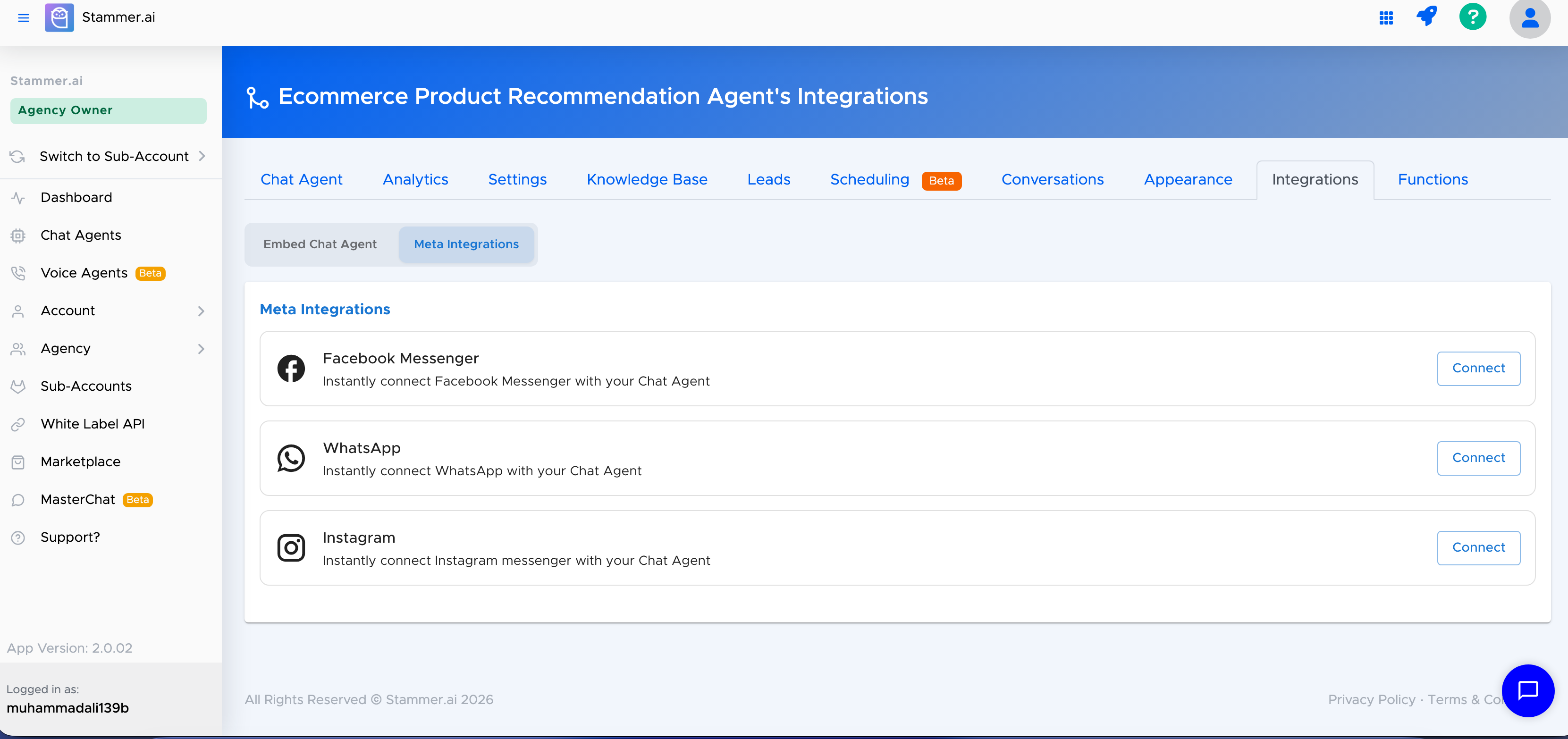
Setting up an AI chatbot on WhatsApp using Stammer AI is straightforward and doesn’t require coding experience. Stammer AI uses the official WhatsApp Business API through Meta, which means your chatbot can respond to customers directly over your business WhatsApp number once connected.
Here’s a simple step‑by‑step guide to get you started:
1. Select Your AI Agent
Start by logging into your Stammer AI dashboard and selecting the specific AI agent you want to connect to WhatsApp. This could be a customer support bot, a lead‑generation bot, or any other type you’ve created.
2. Go to the Integrations Tab
Once you’re on the agent’s page, navigate to the Integrations section. This area lets you connect your AI agent to different external platforms, such as WhatsApp, Facebook Messenger, or your website.
3. Choose WhatsApp Integration
Click on the WhatsApp option in the list of available integrations. Stammer AI will then prompt you to connect your WhatsApp Business account.
4. Connect Your WhatsApp Business Account
You’ll be asked to sign in with your Facebook/Meta account that manages your WhatsApp Business number. From there, you can either create a new WhatsApp Business account or connect an existing one.
Keep in mind that WhatsApp Business API numbers may have associated costs determined by Meta, depending on your region and message categories.
5. Activate Your AI Agent
After successfully linking your WhatsApp number, enable the AI agent to be active on that channel. Once activated, your chatbot will start responding to messages sent to your WhatsApp Business number, usually within a few seconds.
6. Test It Out
Try sending a message to your WhatsApp number to make sure everything works as expected. You should see your AI chatbot respond automatically.
That’s it! With these steps, your WhatsApp business account is now integrated with your AI agent via Stammer AI.
Best Practices for Managing Your Stammer AI WhatsApp Chatbot
Once your Stammer AI chatbot is up and running on WhatsApp, it's important to follow best practices to ensure it continues to provide efficient, effective, and personalized customer service. Here are some key strategies to help you get the most out of your AI-powered chatbot.
1. Regular Updates and Improvements
Just like any tool or service, your Stammer AI chatbot should be updated regularly to keep it relevant and effective. As your business evolves, so do customer queries, product offerings, and services. Make sure your chatbot’s responses reflect these changes.
Update Product Information: Regularly update the chatbot with the latest details about your products or services, including availability, pricing, and new offerings.
Refine Conversation Flows: As you learn more about your customers’ common questions or concerns, tweak your chatbot’s conversation flows to address these more effectively.
Stammer AI allows you to easily update the chatbot content directly from the dashboard, making it quick and simple to keep everything current.
2. Optimize Chatbot Flows for Better Engagement
Effective conversation design is key to ensuring that your chatbot engages users without confusing or overwhelming them. Here’s how you can optimize the flow:
Keep It Simple: Avoid making interactions overly complex. Ensure that the chatbot asks direct questions and offers concise answers.
Quick Replies: Use quick reply buttons for frequently asked questions or actions. This helps customers quickly find the information they need without typing long messages.
Pathways for Different User Needs: Design multiple pathways based on the user's responses. For example, if a customer asks about a product, the chatbot could lead them to a purchasing option or request more details.
You can test the conversation flow by role-playing with a colleague or team member to spot areas that may need improvement before going live.
3. Set Up Smooth Escalation to Human Agents
Even the most advanced AI chatbot can’t solve every problem. For more complex inquiries or sensitive issues, it’s important to have a smooth handoff process to human agents. Here’s how to set this up effectively:
Set Triggers for Escalation: Program the chatbot to recognize when a question is beyond its capabilities, and automatically escalate it to a human agent.
Provide Context: When handing over the conversation to a human, ensure the chatbot provides the agent with all relevant information, such as previous interactions or user queries, to avoid customers having to repeat themselves.
Human Availability: Make sure your team is ready to respond quickly when escalations occur, to maintain a seamless experience.
Use Stammer AI’s built-in analytics to track when and why escalations happen, and refine the chatbot’s responses to minimize unnecessary handovers.
4. Personalize Customer Interactions
AI doesn’t have to be robotic. Stammer AI allows for personalized communication, which is a key aspect of improving customer satisfaction. Here’s how you can make your chatbot feel more human:
Use Customer Data: If you have customer data from previous interactions, use it to personalize the experience. For example, call customers by their names or reference past purchases to make conversations feel more tailored.
Customize Responses: Set up your chatbot to suggest personalized products, services, or offers based on customer behavior or preferences.
Conclusion
Using an AI chatbot for WhatsApp through Stammer AI is a great way to improve your business communication. It helps you automate responses, save time, and make customer interactions more efficient.
By following the best practices we’ve discussed, you can ensure that your chatbot is working well and meeting your business needs. With AI chatbots becoming more common, using one for WhatsApp can help you stay ahead and provide a better experience for your customers.