AI Receptionist: How Small Businesses Replace Voicemail with 24/7 Voice AI
Most small businesses lose more revenue to voicemail than they realize. A potential customer calls during a busy afternoon. The line rings out. Voicemail picks up. The caller hangs up and dials the next business on the search results page. The owner never knows the call happened, and never sees the lost invoice.
This pattern repeats every day across millions of small businesses. In service categories where customers need help quickly, the business that answers first usually wins the job. Every missed call is a customer who chose someone else.
That is the problem an AI receptionist solves. It is neither a phone tree nor a chatbot. This guide explains what an AI receptionist actually is in 2026, how it compares to voicemail and answering services, what it costs, and how to set one up using a no-code platform like Stammer AI Voice Agents.
AI Receptionist Explained
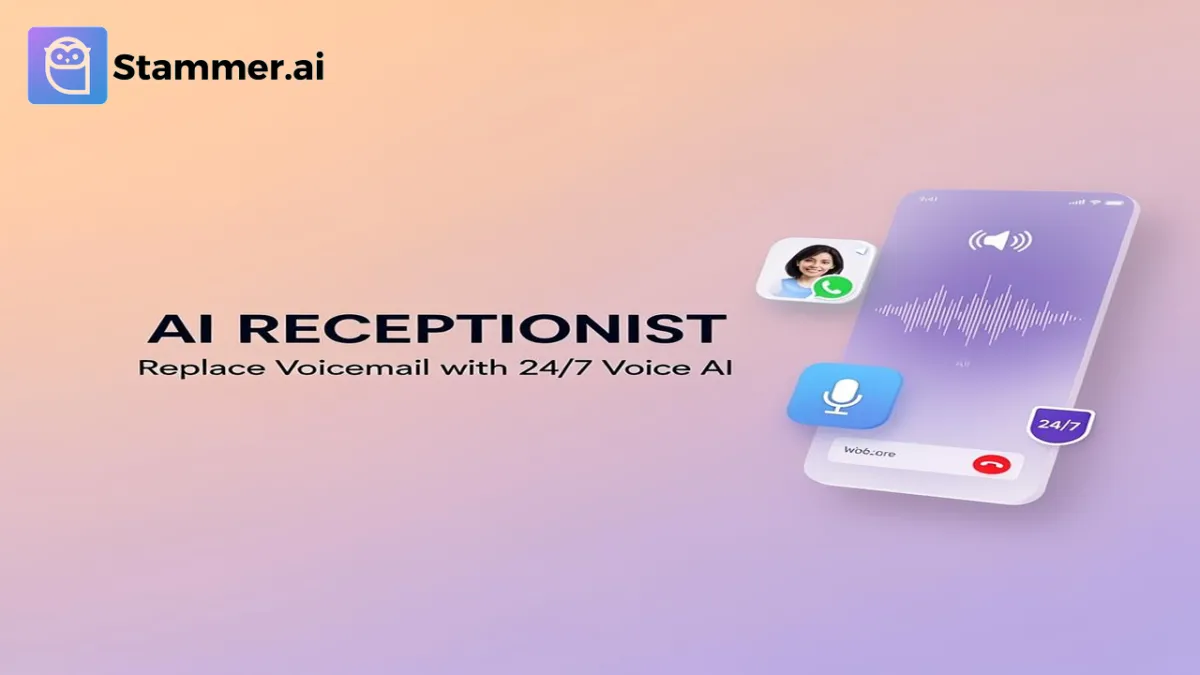
An AI receptionist is a voice AI agent that answers your business phone, holds a real conversation with the caller, and takes action on the call. The action might be booking an appointment, qualifying a lead, transferring the call to a specific person, or capturing a structured message and sending it to your CRM.
Three things happen in a fraction of a second when a caller speaks. A speech recognition model transcribes the audio into text. A large language model trained on your business information decides how to respond. A voice synthesis model speaks the response out loud, naturally enough that most callers do not realize they are not talking to a human.
This is fundamentally different from the IVR phone menus most businesses still use. There is no "press 1 for sales, press 2 for support." The caller simply talks and the AI talks back which leads to a real conversation.
AI Receptionist vs. Chatbot
The same underlying technology powers both, but the channel is different. An AI chatbot answers messages on your website or social media direct messages. An AI receptionist picks up a phone call. Many businesses run both.
Chatbots handle inquiries from your website. Receptionists handle inquiries from your phone number. Both push qualified leads into the same CRM. For more on how these agents work, see our guide to building an AI agent from scratch and our overview of custom AI agents.
Why Voicemail Is Costing Small Businesses More Than They Realize
Most small business owners view voicemail as a safety net. In practice, it is a leak with no visible meter.
A few patterns hold across most service industries:
Many callers who reach a small business voicemail simply hang up and try the next business rather than leaving a message.
A large share of missed calls happen during business hours, not after hours. The owner or staff are usually with another customer when the phone rings.
In urgent service categories like plumbing, HVAC, towing, and legal intake, the business that answers first typically wins the job.
Phone callers tend to convert at higher rates than website form fills, because they have already decided to engage.
The math nobody runs:
(Calls per month) x (Percentage missed) x (Average job value) = Monthly revenue leak
Consider a small home services business taking 300 calls a month, missing roughly a quarter of them, with an average job value of $400. The implied revenue leak runs into the tens of thousands of dollars every month.
Most owners would react strongly to a $30,000 invoice walking out the door. They do not react to lost calls because nobody sends an invoice for the job that was never booked. This is the gap an AI receptionist closes.
AI Receptionist vs. Voicemail, Human Receptionists, and Answering Services
Most small businesses handle inbound calls in one of four ways. Here is how the options compare.
Voicemail is the default for most small businesses. The cost looks like zero on the books, but the lost revenue does not appear on any line item. That invisibility is precisely why voicemail survives in businesses where it is doing the most damage.
A part-time or full-time receptionist is the typical first upgrade. Human receptionists are excellent when present, but they sleep, take lunch breaks, get sick, and cannot answer three calls at the same time.
Answering services were the traditional 24/7 option. They are better than voicemail, but most do not book directly into your calendar, do not update your CRM in real time, and the message you receive an hour later often loses important detail.
An AI receptionist runs 24/7, never takes a break, handles concurrent calls, and integrates directly with your calendar and CRM through tools like Zapier and native API connections. For most small businesses, the total monthly cost is meaningfully lower than any staffed alternative.
When You Still Want a Human
To be clear, an AI receptionist is not the right answer for every call. Emotionally sensitive conversations, complex disputes, and certain regulated interactions belong with a human. The most effective configuration is hybrid.
The AI handles routine calls, after-hours coverage, and overflow during busy periods. Humans handle calls where empathy, judgment, or specialized expertise matter. Modern voice AI platforms support seamless handoff using built-in live chat and human handoff capabilities, so the AI can transfer the caller to a real person mid-conversation when the situation calls for it.
What a 2026 AI Receptionist Can Actually Do
The capability gap between early-generation voice bots and modern AI receptionists is significant. Here is what a current-generation voice agent handles reliably.
Answer common questions instantly
Hours, services, pricing, location, parking, insurance accepted, deposit policy. Anything documented in your knowledge base can be spoken aloud the moment a caller asks.
Book appointments directly into your calendar
Voice agents integrate with Google Calendar, Calendly, Cal.com, and major CRMs. The agent checks live availability, holds the slot, confirms with the caller, and sends a calendar invite before the call ends to schedule an appointment.
Qualify leads before they reach a human
A roofing company can configure the agent to ask about roof age, square footage, and timeline. A law firm can configure it to screen for jurisdiction and case type. The result is structured data that flows into your CRM, so your sales team only spends time on real opportunities.
Route urgent calls separately from non-urgent calls
A common configuration sounds like this: "If this is an emergency, I will transfer you to our on-call technician immediately. Otherwise, I can book you for tomorrow morning at 9 AM." This single capability often pays for the system on its own in service businesses.
Capture structured messages and push them to your CRM.
Instead of an audio voicemail you have to listen to, you receive a structured record. Caller name, phone number, reason for the call, urgency, preferred callback window. Already in your CRM. Already routed to the right person.
Speak multiple languages on the same number.
Stammer voice agents support over 160 languages and can adapt based on what the caller speaks. This is a meaningful advantage in markets with multilingual customer bases.
Which Small Businesses Get the Most ROI
AI receptionists work for almost any business, but payback tends to be fastest in industries where missed calls translate directly into lost revenue:
Home services including HVAC, plumbing, electrical, roofing, and pest control. Emergency calls, dispatch coordination, and after-hours overflow.
Dental and medical practices. Appointment booking, reminders, FAQ deflection, and basic intake. Frees front desk staff to focus on in-person patients.
Law firms, especially personal injury, family law, and criminal defense. Many people contact attorneys in moments of crisis, often outside business hours.
Real estate brokerages can use AI agents for property inquiries, showing requests, and outreach to homeowners. Realtors are constantly in showings or driving and cannot always answer.
Auto repair and detailing benefit from service appointment booking, status check-ins, and quote requests.
Salons, spas, and fitness studios can do booking, cancellations, package questions, and class schedule lookups. Every minute the front desk spends on the phone is a minute they are not selling retail or serving on-site customers.
Restaurants. Reservations, hours, catering inquiries, and menu questions. Removes the highest-volume calls from the host stand.
If you are an agency owner, every one of these industries is a vertical you can sell AI receptionists into immediately. Read our white-label SaaS overview to see how agencies are doing this profitably under their own brand.
How to Set Up an AI Receptionist for Your Business
Setting up an AI receptionist used to be a six-figure custom development project. Now it is an afternoon of work on a no-code platform. Here is the practical step-by-step using Stammer AI:
Step 1: Decide what calls the agent should handle
Write down the top 10 reasons people call your business. These are your training inputs. Common examples include booking appointments, requesting quotes, asking about hours, requesting emergency service, and confirming whether you handle a specific type of work.
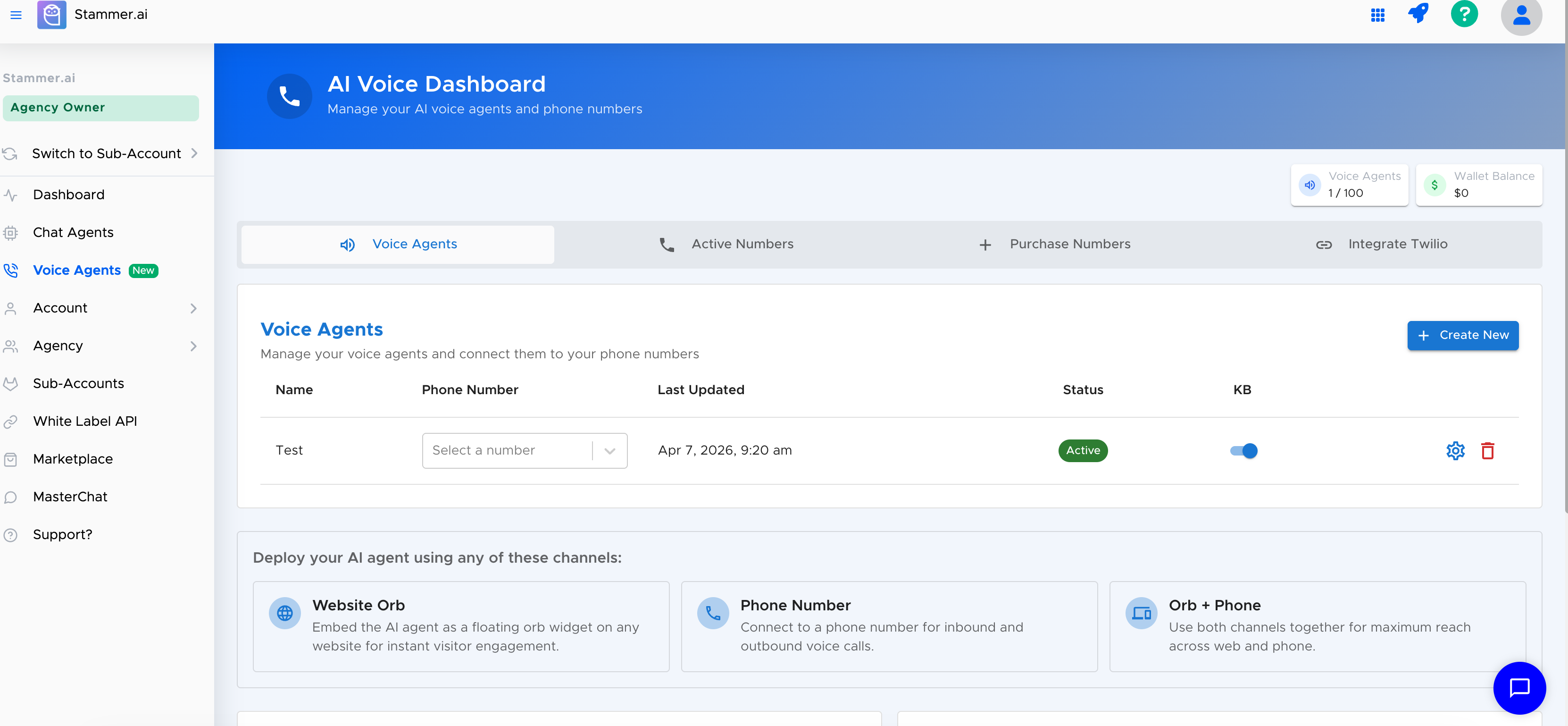
Step 2: Create a voice agent in your dashboard
Sign up for a free trial, click "New Voice Agent," and give the agent a name and personality that aligns with your brand.
Step 3: Train it on your business information.
Upload your FAQ document, services list, pricing sheet, and policy documents. Add your website URL so the agent can scrape it for additional context. The richer the knowledge base, the more accurate the answers. See our training AI agents guide for best practices on training.
Step 4: Write the system prompt
This gives the AI its instructions. Tone of voice, what it can and cannot discuss, when to escalate, what information to collect from every caller. A well-written prompt is the difference between an agent that feels professional and one that feels generic.
Step 5: Connect your calendar and CRM
Hook up Google Calendar, Calendly, Cal.com, or your CRM. Most major platforms (HubSpot, GoHighLevel, Salesforce) connect either through direct integrations or through Zapier.
Step 6: Configure handoff rules
Define exactly when the AI should transfer a call to a human. Common triggers include the caller asking for a manager, the caller mentioning a complaint, or the caller reporting an emergency.
Step 7: Test the agent.
Call it from your own phone. Try the scenarios a confused customer might create. Iterate the prompt and knowledge base until the agent sounds the way you want it to.
Common Concerns Answered
Will it sound robotic?
Modern voice models produce speech that is genuinely difficult to distinguish from a human in short conversations. The most reliable way to evaluate this is to call a few demo agents and judge for yourself.
What if it cannot handle a complex call?
A well-configured AI receptionist knows what it does not know. You define escalation rules during setup, such as "transfer to a human if the caller asks for legal advice" or "transfer if the caller sounds upset," and the AI follows them. The goal is not to handle every call. The goal is to handle the routine majority so your humans can focus on calls that require them.
What does it really cost?
AI receptionists often use usage-based pricing. Stammer AI includes voice agent capabilities across its plans, with pricing based on the selected plan and usage requirements. Check the current pricing structure for the latest voice usage details.
What if my callers prefer a human?
Always offer an easy handoff. A trigger like "press 0 to speak to a person" or a clear verbal cue when the caller asks. If a caller wants a human, give them one. Most callers do not mind talking to AI when the alternative is voicemail.