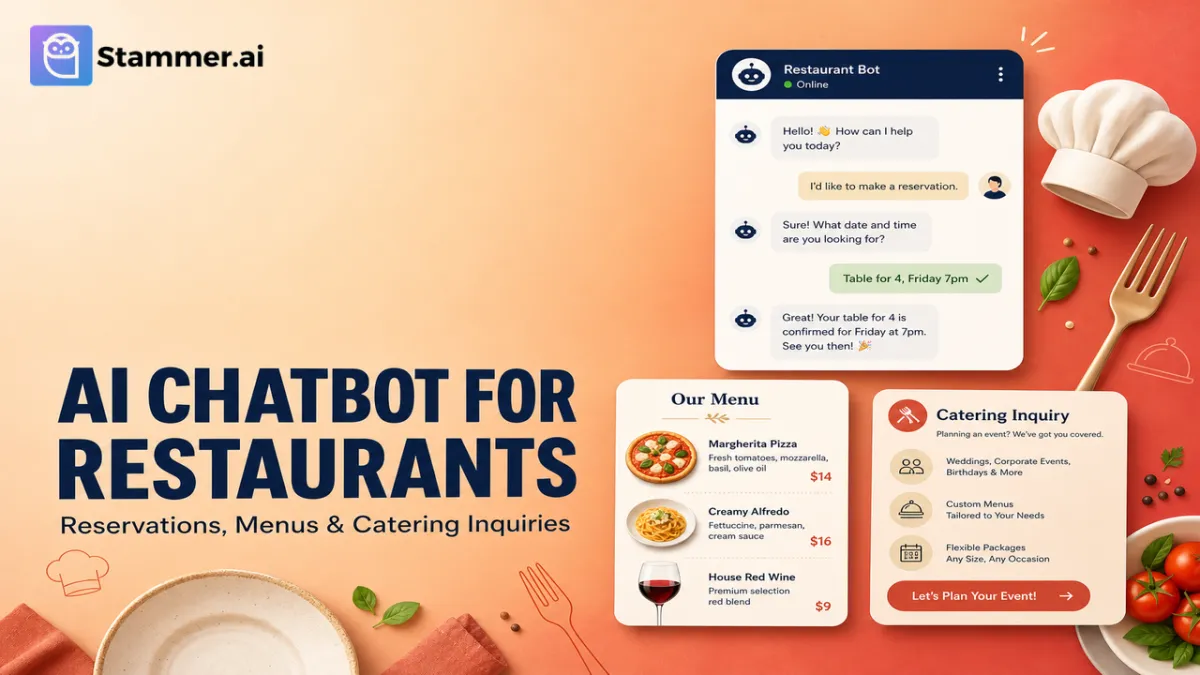
AI Chatbot for Restaurants: Reservations, Menus & Catering Inquiries
Most restaurants are quietly losing customers to unanswered messages. A diner sends an Instagram DM at 4 PM asking about vegan options. A family of twelve emails the catering inquiry form on a Tuesday and waits three days for a reply.
A tourist sends a WhatsApp message in Spanish and never hears back. The host on duty cannot reply to any of them. They are greeting walk-ins, managing the waitlist, and answering the phone.
Each unanswered message is a customer who chose the place that did reply. And the volume of these inquiries quietly exceeds anything a front-of-house team can handle without dropping the in-person experience.
This guide explains what an AI chatbot can actually do for a restaurant in 2026, where it lives across your customer touchpoints, how it compares to alternatives, and how to set one up using a no-code platform like Stammer AI.
What Is an AI Chatbot for Restaurants?
An AI chatbot is a text-based AI agent that holds conversations with your customers across the channels they already use: your website, Instagram direct messages, Facebook Messenger, and WhatsApp.
The bot reads the customer message, interprets the intent, and replies in seconds from a knowledge base built on your menu, hours, location details, catering policies, and any other documentation you have provided.
This is fundamentally different from the keyword-matching chatbots restaurants tried five years ago. A modern AI chatbot understands questions phrased naturally, handles follow-up questions, switches languages mid-conversation, and knows when to escalate to a human. For more on how these agents work, see our guide to building an AI agent from scratch.
Chatbot vs. AI Voice Agent
Both run on the same underlying technology but cover different channels. A chatbot replies to text messages on your website and social platforms. An AI voice agent answers your phone. Many restaurants run both. The chatbot handles the high-volume text channels while the voice agent picks up calls during service or after hours.
Why Restaurants Lose Inquiries to Slow Replies
Hospitality is one of the most reply-sensitive industries. A customer deciding between two restaurants for tonight will message both and book the one that responds first. A corporate event planner gathering quotes for a 50-person catering order will move on if you do not reply within a few hours.
A few patterns hold across restaurants of all sizes:
The majority of inbound text inquiries are repeat questions: hours, reservations, menu items, dietary options, parking, dress code, patio availability.
A large share of messages arrive outside service hours. Customers plan dinner reservations on their commute, catering inquiries land on weekends.
Hosts and floor staff cannot watch Instagram DMs and a website chat widget while seating tables.
Tourists and multilingual customers often default to text rather than calling, especially when their language differs from the staff.
Catering inquiries are particularly time-sensitive. A response delay of a few hours can lose a five-figure booking.
The math nobody runs:
(Inquiries per month) × (Percentage unanswered or slow) × (Average ticket value) = Monthly revenue leak
A casual restaurant receiving 800 messages per month across web chat, Instagram, and WhatsApp, with even a third going unanswered or replied to too slowly, leaks meaningful revenue every month. The leak is invisible because nobody sends an invoice for the booking that did not happen.
Where Restaurant AI Chatbots Live
Restaurants receive inquiries through more channels than most other service businesses. A modern AI chatbot deploys to all of them from the same underlying brain, so the customer gets consistent answers no matter where they message you.
Website chat widget: A small chat icon in the corner of your website that opens with a friendly greeting. Captures customers who want to know about table availability, daily specials, or takeout.
Instagram direct messages: Restaurants receive a significant share of customer messages on Instagram. The bot replies to DMs in real time, shares menu information, and guides customers to a reservation or order link.
Facebook Messenger: Still a major channel for older demographics and businesses with strong Facebook presence.
WhatsApp: Critical for international markets, tourist destinations, and customers who prefer chat over voice. WhatsApp Business bot can take reservations, answer menu questions, and route catering inquiries through WhatsApp Business.
Updates flow from one knowledge base to every channel at once. When your menu or hours change, you update it in one place.
What a 2026 AI Chatbot Can Actually Do
Take reservation requests
The bot collects party size, date, time, and special requests, then either books directly into a connected calendar tool or routes the request to your reservation system. For restaurants using OpenTable or Resy, the bot handles all the surrounding questions before handing the customer off to your existing booking link.
Answer menu and dietary questions instantly
Vegan options, gluten-free items, allergens, ingredients, kids menu, drink list. Once your menu lives in the bot's knowledge base, every customer gets accurate answers in seconds.
Handle hours, location, parking, and policies
Are you open on Memorial Day? Do you take walk-ins? Is there a corkage fee? All routine, all repetitive, all answerable in seconds.
Capture catering inquiries with structured intake
Catering is where the real money is for many restaurants, and where the most leads are lost to slow replies. The bot asks the right questions: event date, guest count, dietary needs, delivery vs. pickup, budget range. The bot then pushes the inquiry directly into your CRM or email so your catering manager sees a qualified lead the moment it arrives.
Speak in over 160 languages
Tourists, expats, and multilingual locals get answered in their own language without you staffing for it. For restaurants in airport corridors, hotel districts, or tourist areas, this alone often justifies the bot.
Filter spam, vendor pitches, and time-wasters.
Anyone who has run a restaurant inbox knows how much of the volume is not customers.
Manual replies are the default. The cost is invisible, showing up as staff time and lost bookings, and is consistently underestimated.
Static FAQs answer basic questions, but only on the website, only for people who think to look, and only for the questions you anticipated.
Reservation platforms like OpenTable, Resy, Tock, and SevenRooms are excellent at booking but limited in conversation. They cannot answer "is the salmon gluten-free?" or "do you cater for 80 people?" They sit alongside a chatbot rather than replacing it.
An AI chatbot runs across every text channel, handles open-ended questions, and integrates with your existing tools through Zapier or native API connections.
When You Still Want a Human
Complaints about a meal, sensitive guest situations, complex multi-week catering negotiations, and PR-adjacent inquiries belong with a human. The most effective configuration is hybrid: the bot handles repetitive, time-sensitive volume while your team handles conversations that need real judgment. Modern AI platforms support seamless live chat handoff so the bot can pass a conversation mid-thread when the situation calls for it.
How to Set Up an AI Chatbot for Your Restaurant
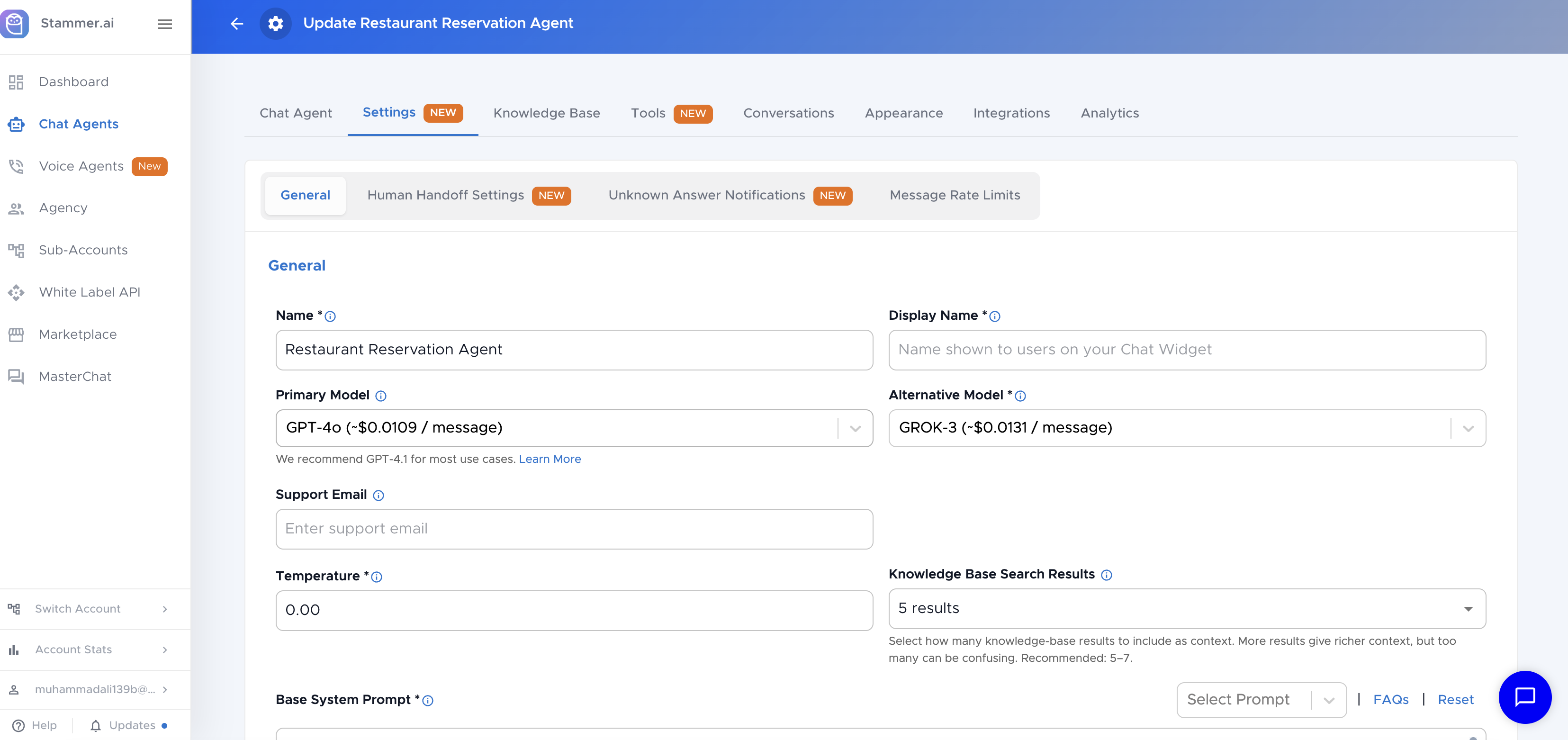
Setting up a restaurant chatbot is straightforward on a no-code platform. Here is the practical step-by-step using Stammer AI Chatbots.
Step 1: List the top 20 questions you get
Pull a week of recent messages from Instagram, your website, and WhatsApp. The same questions appear over and over. That list is your training input.
Step 2: Create a chatbot in your dashboard
Sign up for a free trial, click "New Chatbot," and give the bot a name and personality that fits your brand. A neighbourhood bistro and a rooftop cocktail bar should sound different.
Step 3: Train it on your menu, FAQs, and policies
Upload your menu (with allergen and dietary information clearly marked), your FAQ document, your catering brochure, and any private events documentation. Add your website URL so the bot can scrape additional context. The richer the knowledge base, the more accurate the answers. For training best practices, see our training AI agents guide.
Step 4: Write the system prompt
System prompt gives the bot its voice and rules: tone, what it can and cannot promise (never invent menu items or guarantee allergen-free preparation in shared kitchens), when to escalate, and what to capture from every catering or private event inquiry.
Step 5: Connect your channels
Deploy the bot to your website widget, Instagram, Facebook Messenger, and WhatsApp. The same brain answers across all of them.
Step 6: Connect your tools
Hook the bot up to Google Calendar or your CRM through Zapier or direct integrations so reservation requests and catering leads land in the right inbox automatically.
Step 7: Configure handoff rules
Define exactly when the bot should escalate to a human: complaints, requests for the manager, catering inquiries above a threshold, complex dietary medical situations.
Step 8: Test and refine
Ask the bot the questions a confused first-time customer would ask. Try the menu in another language. Test the catering intake flow. Iterate until the bot sounds the way you want it to.
Want to see this in action for your restaurant? Stammer offers a 14-day free trial that includes full chatbot deployment to all major channels. No credit card required.
Frequently Asked Questions
How much does an AI chatbot for a restaurant cost?
Pricing depends on the platform and configuration. Stammer offers tiered plans on its pricing page. For most restaurants, the monthly cost is lower than adding even part-time staff to handle inbound messages, and the chatbot covers more channels and hours than a human reasonably could.
Will it replace my host or hostess?
No. The chatbot handles the high-volume routine messages that pull your host away from in-person guests. Your team continues to handle the in-person experience, complex situations, and any conversation that needs human judgment.
What happens if the chatbot does not know an answer?
A well-configured chatbot recognises the limits of its own knowledge and either captures the customer's contact details for human follow-up or transfers to live chat when a team member is available. It does not invent answers about menu items or policies.
Can it integrate with my POS or reservation system?
Most major reservation systems and POS platforms can be connected through Zapier or native API connections, with the chatbot either pushing data into the system or routing customers to the existing booking flow.
How long does setup take?
Most restaurants go from signup to live in a few days of focused work. The platform setup and channel connections take a few minutes; the remaining time is testing and refining the prompt.