Building an AI Agent Tech Stack: GHL, Zapier, and a White Label Platform
A potential client fills out a form on your client's website at 9 PM. Your AI agent captures the lead, but the information sits in the platform while the contact record never reaches the CRM. No follow-up fires, and by morning the lead has gone cold. This is what happens when the tools in your stack are not connected.
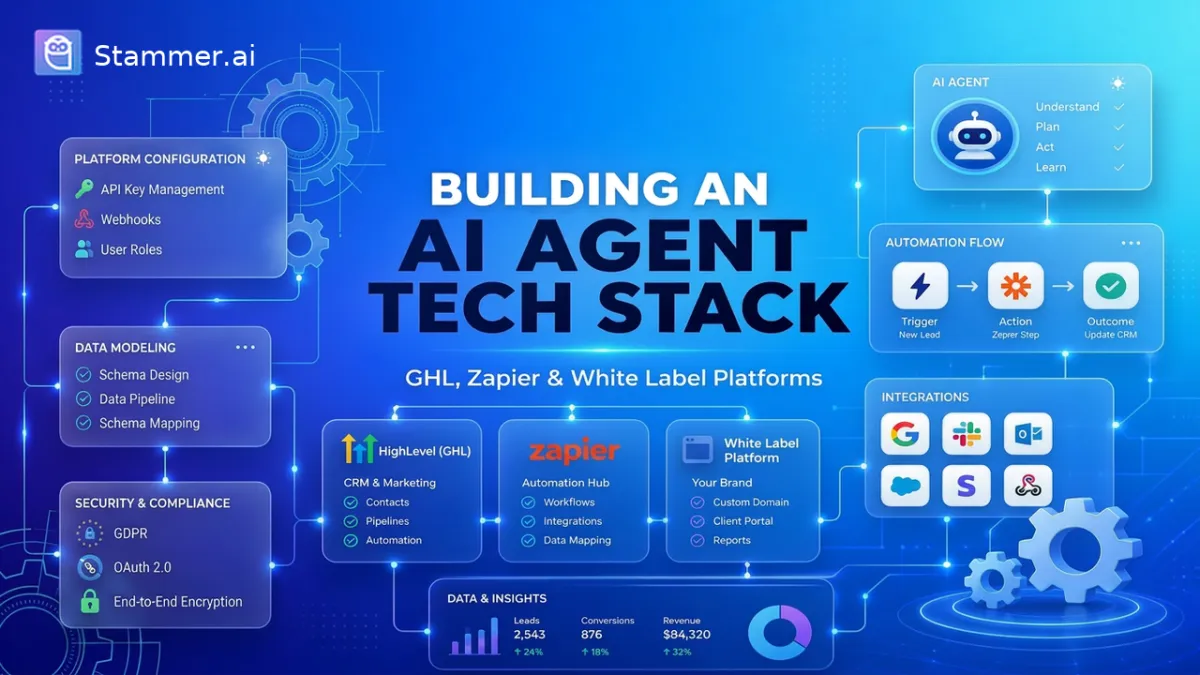
Most agencies assemble their AI offering one subscription at a time, ending up with parts that work alone but not together. An AI agent tech stack closes those gaps. It is the set of connected tools that build your agent, move its data where it needs to go, and deliver results to your clients. This article breaks the stack into three layers and shows you how to wire them into one system that runs on its own.
The Three Layers of an AI Agent Stack
Layer 1: The White Label Platform (Where the Agent Lives)
Layer 2: Zapier (The Connective Tissue)
Layer 3: GoHighLevel (CRM, Pipelines, and Client Delivery)
How the Layers Work Together: A Lead's Journey
The Three Layers of an AI Agent Stack
A working stack has three jobs to do, and it helps to think of each as a separate layer.
The first is the agent layer. This is where the agent is built and run. It holds the agent's knowledge, decides how it responds, and powers the actual conversations with customers over chat or voice.
The second is the automation layer. Its only job is to pass information between systems. When the agent produces something useful, such as a new lead or a booked appointment, this layer carries that data to wherever it needs to land.
The third is the CRM and delivery layer. This is where leads are stored, tracked, and acted on, and it is the part your client actually sees. Reports, pipelines, and follow-up all live here.
Keeping these three roles separate matters for two reasons. First, it prevents overlap. When each layer has one clear job, you avoid paying for two tools that do the same thing and then fighting over which one owns the data.
Second, it protects you from vendor lock-in. If one tool stops serving you, you can swap out that single layer without rebuilding the entire system. A stack built this way stays flexible as your AI agency grows.
Layer 1: The White Label Platform (Where the Agent Lives)
The agent layer is where the conversational AI is actually built and hosted. A white label SaaS platform like Stammer handles this job, giving you a place to create chat and voice agents without writing code. Everything that shapes how the agent thinks and speaks happens here.
Four things define this layer.
The first is the knowledge base. You feed the agent your client's information, such as service details, pricing, and frequently asked questions, so its answers stay accurate and specific to that business.
The second is the prompt. This is the set of instructions that tells the agent how to behave, what tone to use, and when to escalate to a human.
The third is the model. You choose which AI model powers the agent, balancing response quality against cost per message or per minute. The fourth is branding. You apply your own logo, colors, and domain to the dashboard so the platform looks like your product, not someone else's.
That last point is what makes white label essential for agencies. When you sell agents under your own name, the client should never see a third-party brand anywhere in the experience. A white label platform lets you charge premium prices and own the relationship, because as far as the client knows, the technology is yours. Without it, you are simply reselling another company's tool in plain sight.
Layer 2: Zapier (The Connective Tissue)
The automation layer has one job: moving information from the agent to the other apps in your stack, all without code. Zapier handles this through a simple pattern of triggers and actions. A trigger is the event that starts the flow, and an action is what happens next in another app.
A few examples make this concrete. When the agent captures a lead, that event triggers Zapier to create a new contact record in your CRM. When a customer books a slot, that booking triggers an action that adds the event to a calendar.
When a conversation ends, the transcript can be sent to a spreadsheet or a notification channel. In each case, Zapier listens for the event and pushes the data to the right destination automatically.
The question is when to use Zapier versus a native integration. If your platform already connects directly to the app you need, use that native link first. It is usually faster and cheaper, with fewer points of failure.
Reach for Zapier when no direct connection exists, when you need to route data to several apps at once, or when you want to add logic such as filters and delays between steps. Think of it as the bridge you build only where the platforms do not already meet.
Layer 3: GoHighLevel (CRM, Pipelines, and Client Delivery)
The CRM and delivery layer is where the data the agent produces is stored and managed. GoHighLevel, known as GHL, fills this role as the system of record. When a lead arrives, GHL saves it as a contact with its history attached, so the information stays in one place rather than spread across tabs or logs.
Pipelines help keep those leads organized. Each contact sits at a stage, such as new, contacted, or booked, and moves along as the relationship develops. This gives you and your client a view of where each opportunity stands.
GHL also covers the steps that follow. Automated sequences can send emails and texts to stay in touch with leads, and dashboards report on activity such as calls handled and leads captured. This is the part of the stack the client usually logs in to see.
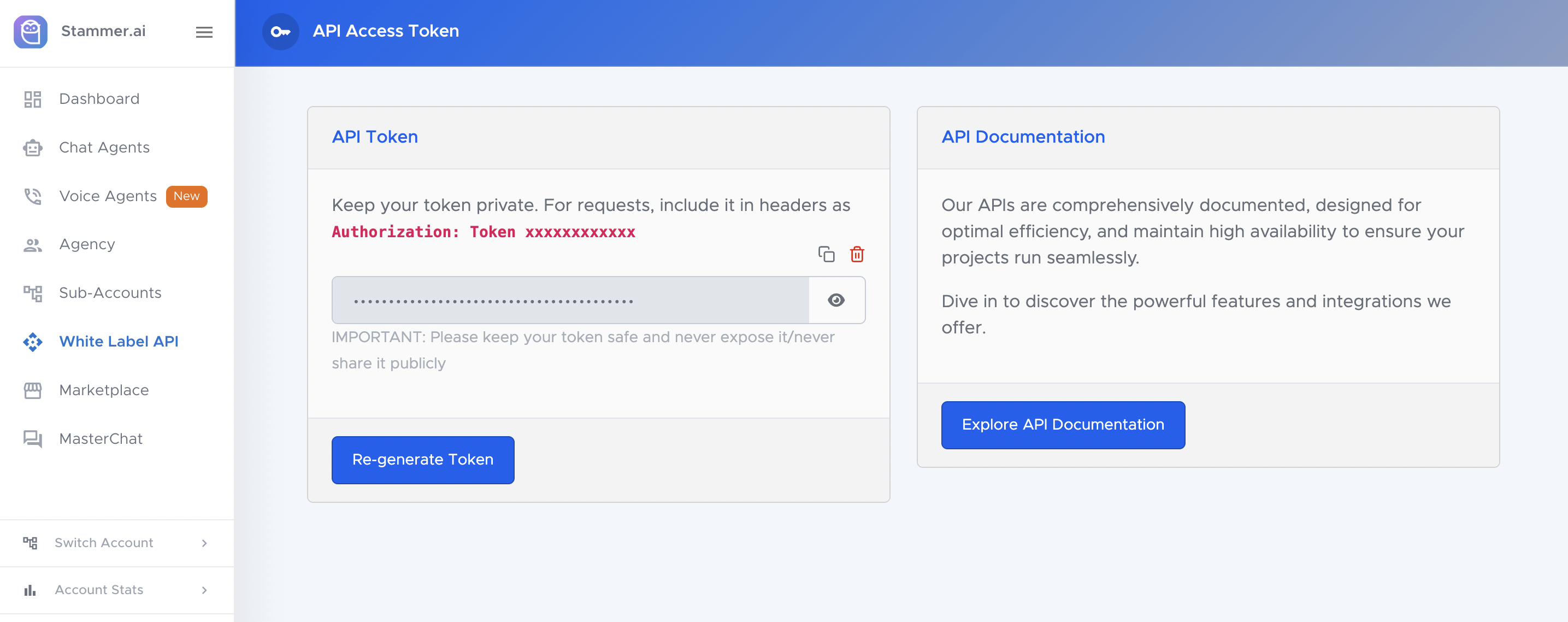
Stammer connects to GHL through a native app, so for this link you can often avoid a separate automation tool. After installing the app on a GHL sub-account, you add a "Send message to AI agent" action inside a GHL workflow and paste in the agent's UUID to link the two. You can also pass custom fields from GHL into the agent's prompt to give it more context about the contact. This keeps the connection direct and reduces the number of moving parts.
Many agencies use one CRM across all their accounts for consistency. When clients run on the same platform, a process built once can be reused for the next client. Support, training, and reporting stay uniform, which makes the setup easier to manage as the number of accounts grows.
How the Layers Work Together: A Lead's Journey
The clearest way to see the stack in action is to follow one lead from start to finish.
It begins on a client's website late in the evening. A visitor opens the chat widget and asks about availability for next week. The agent, running on the white label platform, answers the questions and collects the visitor's name, phone number, and the service they need. The first layer has done its job: it held a useful conversation and gathered the details that matter.
Next comes the handoff. The moment the agent captures those details, the connection to GHL fires and passes the information across. Whether this runs through the native app or an automation step, the result is the same. The data leaves the platform where it was created and travels to the system that will store it. No one copies anything by hand.
The lead then lands in GHL as a new contact. It enters the pipeline at the first stage, with the conversation details already attached. From here, an automated sequence sends a confirmation text and notifies the client that a new lead has come in. By the time the business opens the next morning, the contact is logged, the follow-up has already gone out, and the client can see it in their dashboard.
That is the whole point of building the stack this way. Each layer does one job, and the lead moves through all three without anyone touching it.
The Right Build Order
Once you understand the three layers, the next question is what to set up first. The order matters, because each step depends on the one before it. Building out of sequence usually means redoing work later.
Start with the CRM. It is the destination for everything else in the stack, so it should exist before you have data to send anywhere. Setting up the contact structure and pipeline stages first gives you a clear target to connect to later. Trying to build the agent without knowing where its leads will land tends to create rework.
Build the agent second. With the CRM in place, you now know what information needs to be collected and where it will go, which shapes how you set up the agent. This keeps the agent focused on gathering the right details rather than guessing at them.
Connect the two third. Only after both ends exist does it make sense to wire them together, since a connection needs a defined source and a defined destination. Attempting this earlier means linking to something that is not finished.
Test the full path last. Send a single lead through the entire stack and confirm it arrives where it should, with the follow-up firing as expected.
What the Stack Costs and What You Can Charge
The economics of the stack are simple once you separate what you pay from what you bill. Your costs sit at the three layers, and your margin is the gap between those costs and your client price.
On the cost side, here is roughly what each layer runs per month:
White label platform: A plan like Stammer's Agency tier starts around $197 and covers multiple agents, with usage billed on top at roughly a fraction of a cent per chat message or about eleven cents per voice minute.
CRM: GHL plans commonly run between $97 and $297, depending on the tier you choose.
Automation: Zapier offers a free tier, with paid plans often starting near $20 to $30. You may not need it at all when the native connection covers your link.
Added up, the tooling that supports your whole agency can land in the low hundreds of dollars per month. That cost is shared across every client you serve, not charged per client.
The billing side looks different. Agencies commonly charge $300 to $500 per month per client for a single agent, often with a one-time setup fee on top. Because your platform and CRM costs are spread across all your accounts, each new client adds revenue without adding much to your base cost. The margin widens as you grow.
These figures are directional and will shift with your plan, your usage, and the prices your market supports. The takeaway is the structure: fixed tooling costs on one side, recurring per-client revenue on the other, and a margin that improves with each account you add.
Conclusion
A reliable AI agent stack comes down to three connected layers: the platform that builds and runs the agent, the automation that moves its data, and the CRM that stores leads and faces the client. Keep each layer focused on its own job, and the whole system runs with little hands-on work.
The best way to understand the stack is to build the first piece. Start a free trial of Stammer and create your first agent, then connect it to your CRM once it is live. You can review plans and usage costs on the pricing page before you decide how to package it for the client.