
AI Agents in Marketing: Use Cases, Benefits, and Real-World Examples
Marketing teams have spent the last decade automating workflows. Yet despite more tools, more data, and more channels, many organizations are still struggling to scale personalization, improve efficiency, and keep up with rising customer expectations.
A new wave of technology is beginning to change that. AI agents are intelligent programs that can analyze data, handle repetitive tasks, and even interact with customers in real time. In this article, we’ll explore what AI agents in marketing are, why they matter, and how businesses are using them to drive real-world success.
What Are AI Agents?
An AI agent is a software system that analyzes information, makes decisions, and takes action to achieve a goal.
In marketing, AI agents help teams manage tasks such as lead qualification, customer support, audience segmentation, campaign optimization, and content recommendations.
Many marketers use the terms AI agents, chatbots, and marketing automation interchangeably, but they serve different purposes.
An AI chatbot responds to user questions based on predefined rules or trained knowledge. It answers questions but usually does not make decisions beyond the conversation.
Marketing automation tools execute pre-built workflows. For example, they send emails, assign leads, or trigger notifications when specific conditions are met.
AI agents do both. They analyze data, decide what action to take, and execute that action without requiring a predefined workflow for every scenario.
Most AI agents follow a simple process:
Perceive → Reason → Act
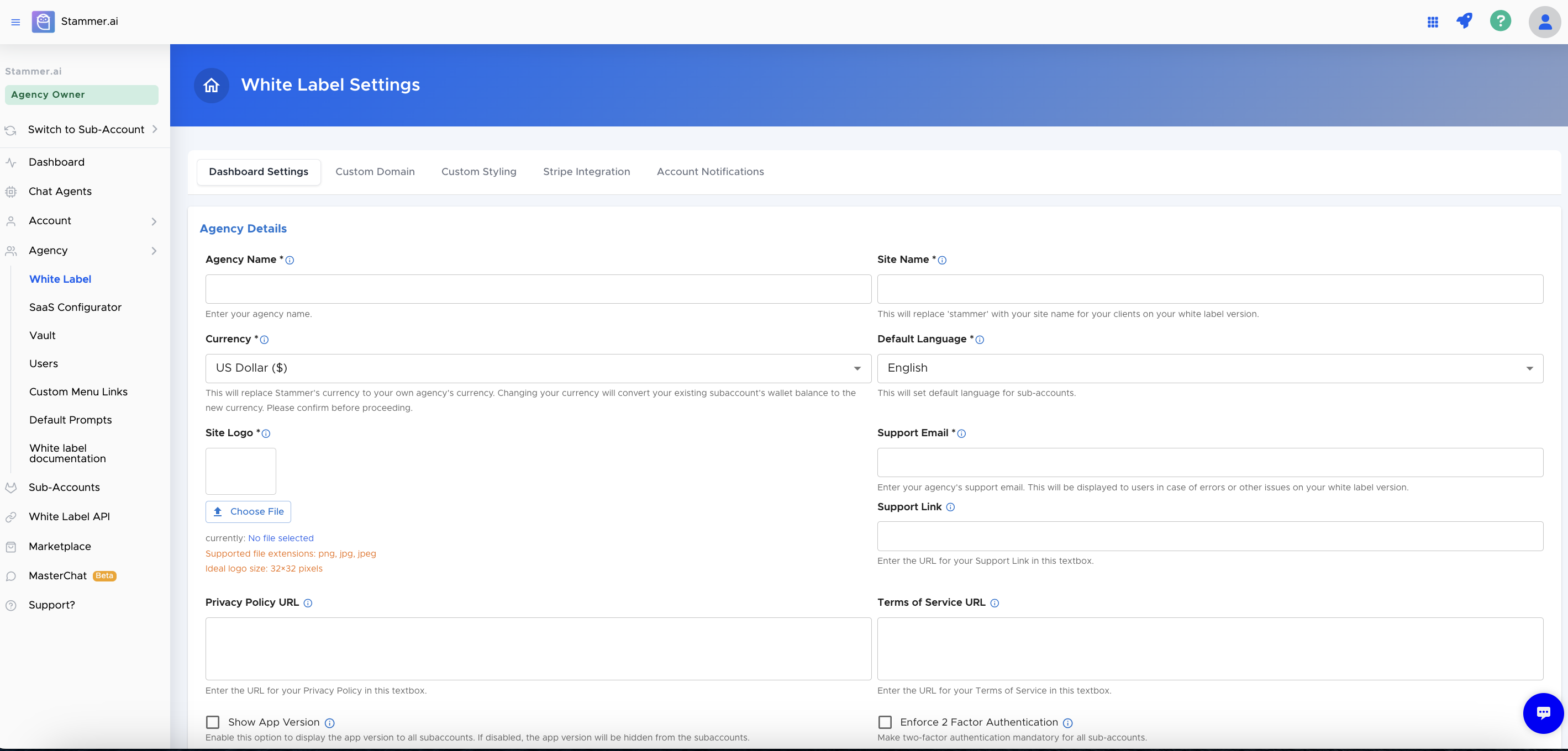
We’ll discuss these in detail in the next section. Also many agencies now use white-label AI agents to offer these capabilities under their own brand. Instead of building AI software from scratch, agencies use platforms like Stammer AI to create branded chat and voice agents for clients. The agency controls the branding, pricing, and customer relationship while the platform provides the underlying AI infrastructure.
How AI Agents Work in Marketing
AI agents follow a simple cycle: perception, reasoning, action, and feedback.
Perception: Collect Data
An AI agent starts by gathering information from different sources. This can include website activity, CRM records, social media engagement, email performance, customer conversations, and ad campaign data.
The more relevant data the agent receives, the better it can understand what is happening and identify opportunities for action.
Reasoning: Analyze and Decide
After collecting data, the agent analyzes the information and determines the best next step.
For example, the agent might identify a sudden increase in website traffic from a specific audience segment. It can then evaluate campaign performance, engagement rates, and conversion data to decide whether the trend requires action.
This decision-making process separates AI agents from traditional automation tools, which only follow predefined rules.
Action: Execute Tasks
Once the agent selects an action, it executes the task automatically.
Depending on its role, an AI agent can:
Respond to customer inquiries
Qualify and route leads
Adjust campaign targeting
Trigger email sequences
Schedule meetings
Update CRM records
Recommend content or offers
The goal is to reduce manual work while improving response times and consistency.
Feedback: Learn and Improve
AI agents continuously monitor the results of their actions. They track metrics such as engagement, click-through rates, lead quality, conversion rates, and customer responses. This feedback helps the agent refine future decisions and improve performance over time.
Human-in-the-Loop vs. Fully Autonomous AI Agents
Not every AI agent operates independently.
Human-in-the-loop agents require approval before taking certain actions. A marketing team might review campaign recommendations, content changes, or budget adjustments before the agent implements them.
Fully autonomous agents can make and execute decisions without human intervention. These agents work best for routine tasks such as lead qualification, customer support, appointment scheduling, and data updates.
Most businesses start with human oversight and increase automation as they gain confidence in the system.
Key Use Cases & Benefits
AI agents provide measurable value across marketing operations. Here are the main use cases:
1. Automating Ad Campaign Adjustments
AI agents monitor ad campaigns across platforms like Facebook, Google, or LinkedIn. If a campaign underperforms, they automatically adjust bids, pause low-performing ads, or reallocate budgets to top-performing segments.
2. Dynamic Audience Segmentation
Instead of manually tagging leads, AI agents segment visitors based on real-time behavior. For example, anyone who visits a pricing page and downloads a brochure is instantly flagged as a high-intent lead for follow-up campaigns.
3. Personalized Email Recommendations
Agents analyze past customer interactions and send emails tailored to individual preferences. For example, a user who browsed running shoes receives an email highlighting the latest running gear, increasing open and click rates.
4. Smart Lead Qualification
AI agents score incoming leads based on behavior, demographics, and engagement. They can automatically send qualified leads to sales reps while nurturing lower-scoring leads with targeted content until they are ready to buy.
5. Social Listening and Engagement
Agents monitor brand mentions, competitor campaigns, and trending hashtags in real time. They can notify the marketing team when a topic gains traction or even auto-respond to common customer questions on social media.
6. Chat & Voice Customer Handling
AI agents handle routine queries like store hours, pricing, or shipping questions via website chat or voice assistants, reducing human workload while maintaining consistent service.
7. Content Optimization in Real Time
Agents analyze engagement on blog posts, emails, or social campaigns. They suggest headline tweaks, A/B testing priorities, or content adjustments to improve clicks and conversions immediately.
8. Automated Appointment Scheduling
For agencies or service-based businesses, AI agents can qualify a lead, suggest available times, and book a meeting directly in the calendar without human intervention.
9. Post-Campaign Follow-Up
After webinars, events, or product launches, agents automatically segment attendees by engagement level, send tailored follow-up messages, and trigger next-step campaigns, ensuring leads don’t fall through the cracks.
10. Cross-Channel Retargeting
Agents identify visitors who abandoned a shopping cart, visited key pages, or interacted with emails. They then launch targeted retargeting ads across social, search, and email, maximizing conversion opportunities.
Types of AI Marketing Agents
AI marketing agents come in different forms. The easiest way to tell them apart is to ask one question:
What is the agent primarily designed to do?
Strategic Orchestrator Agents
Strategic orchestrator agents coordinate marketing activities across teams, channels, and tools. They review data, identify priorities, and guide the next steps in a campaign.
Platform examples:
Adobe Experience Platform Agent Orchestrator
Salesforce Agentforce for Marketing
Example use case:
A retail brand runs email, paid ads, and loyalty campaigns. An orchestrator agent reviews customer behavior across each channel and recommends the next best offer for different audience segments.
Content and Copy Agents
Content and copy agents create, repurpose, and improve marketing content. They help teams produce campaign assets faster while keeping messaging consistent.
Platform examples:
Jasper Agents
Jasper Blog Post Agent
Jasper Newsletter Agent
HubSpot Breeze Social Media Agent
Example use case:
A marketing team launches a new service. A content agent creates a blog outline, three email drafts, LinkedIn posts, and ad copy variations based on the same campaign brief.
Analytics and Optimization Agents
Analytics and optimization agents review performance data, identify problems, and recommend improvements. Some agents also trigger actions based on the results.
Platform examples:
Ahrefs Agent A
Zapier AI Agent Marketing Campaign Tracker
Adobe Experience Platform Agents
Example use case:
An agent detects that a landing page receives traffic but converts poorly on mobile devices. It flags the issue and recommends testing a shorter form and a clearer call to action.
SEO Agents
SEO agents support keyword research, content planning, competitor analysis, and page optimization. They use search data to identify opportunities and guide content improvements.
Platform examples:
Ahrefs Agent A
Ahrefs MCP connected to compatible AI agents
Example use case:
An SEO agent finds that an article ranks on the second page of Google for several related terms. It recommends new subheadings, stronger internal links, and additional answers to common search questions.
CRM and Workflow Integration Agents
CRM and workflow integration agents connect marketing tools and move information between them. They reduce manual data entry and keep customer records updated.
Platform examples:
Zapier Agents
HubSpot Breeze Agents
Salesforce Agentforce
Example use case:
A prospect submits a website form after clicking a paid ad. The agent adds the contact to the CRM, assigns a lead source, starts an email sequence, and alerts the sales team.
Lead Research and Enrichment Agents
Lead research agents gather information about prospects and help teams personalize outreach. They can review websites, identify business signals, and enrich contact records.
Platform examples:
Claygent by Clay
HubSpot Breeze Prospecting Agent
Example use case:
A B2B agency uploads a list of target companies. The agent reviews each website, identifies the services each company offers, and adds relevant details to the CRM for personalized outreach.
Customer Conversation Agents
Customer conversation agents communicate directly with prospects and customers. They answer questions, collect information, qualify leads, and guide users toward the next step.
Platform examples:
Stammer AI Chat Agents
Stammer AI Voice Agents
HubSpot Breeze Customer Agent
Salesforce Agentforce for Service
Example use case:
A potential customer visits a service business website after office hours. The agent answers questions, collects the visitor's requirements, qualifies the inquiry, and books a consultation.
White-Label AI Agents
White-label AI agents allow agencies to provide AI-powered services under their own brand. The agency controls the client experience while the platform supplies the technology.
Platform example:
Stammer AI
Example use case:
A digital marketing agency creates branded chat and voice agents for home service clients. Each agent answers common questions, captures leads, and schedules appointments through the agency's branded platform.
Multi-Purpose AI Agents
Multi-purpose agents combine several capabilities in one workflow. They may communicate with customers, qualify leads, update CRM records, and trigger follow-ups.
Platform examples:
Stammer AI
Salesforce Agentforce
HubSpot Breeze Agents
Zapier Agents
Example use case:
A dental clinic receives a new inquiry. The agent answers treatment questions, collects patient details, schedules a consultation, updates the CRM, and sends a confirmation message.
How to Deploy AI Agents in Your Marketing Strategy
A successful AI agent rollout starts with one clear business problem. Do not automate everything at once. Choose a task that takes time, affects revenue, or slows down the customer journey.
Step 1: Choose One High-Impact Use Case
Start with a task that has a clear outcome.
Good starting points include:
Answering common customer questions
Qualifying inbound leads
Routing leads to the right sales rep
Sending follow-up messages
Updating CRM records
Monitoring campaign performance
Step 2: Define the Agent’s Role
Set clear boundaries before deployment.
Decide:
What tasks the agent can complete
What information it can access
When it should ask for human help
Which actions require approval
What tone and language it should use
A narrow role reduces errors and makes performance easier to measure.
Step 3: Connect the Right Data Sources
Give the agent access to the information it needs to complete its job.
This may include:
Website content
FAQs
Product or service details
Pricing information
CRM records
Calendar availability
Lead forms
Campaign data
Customer support documents
Review the data before launch. Remove outdated information and fill important gaps.
Step 4: Set Permissions and Safety Rules
Do not give every agent full access to every system.
Use role-based permissions. For example, an agent may read CRM records and add notes but require human approval before changing lead ownership or sending a custom proposal.
Set rules for sensitive actions such as:
Changing campaign budgets
Sending bulk messages
Accessing customer data
Issuing refunds
Editing customer records
Publishing content
The level of access should match the level of risk.
Step 5: Keep Humans in the Loop
Start with human oversight, especially for tasks that affect revenue, brand reputation, or customer relationships.
Use human review for:
High-value sales conversations
Complaints and complex support cases
Campaign budget changes
Legal or sensitive questions
Public content
Unusual customer requests
As the agent proves reliable, you can allow it to handle more routine tasks independently.
Step 6: Test the Agent Before Launch
Run the agent through real scenarios before giving it access to customers.
Test:
Common questions
Unclear requests
Missing information
Angry customers
Unusual requests
Handoff to a human
CRM updates
Appointment booking
Follow-up messages
Review the answers and fix weak points before launch.
Step 7: Track the Right KPIs
Measure the agent against the business goal you selected in Step 1.
Useful KPIs include:
Do not judge an agent by activity alone. Measure whether it improves a business result.
Step 8: Improve the Agent Over Time
Review conversations, handoffs, failed actions, and customer feedback every week.
Look for:
Questions the agent cannot answer
Tasks that still require manual work
Incorrect responses
Drop-off points
Repeated customer requests
Opportunities to automate the next step
Update the agent’s instructions and knowledge base as the business changes.
Conclusion
AI agents are becoming a useful part of modern marketing. Their value depends on how well they fit into existing workflows and how clearly teams define their role.
Businesses should start with one focused use case, measure the results, and improve the setup over time. Agencies can also use platforms like Stammer AI to offer branded AI services without building the technology themselves.
The goal is not to replace human judgment. It is to reduce unnecessary manual work and help teams focus on decisions that need experience, context, and creativity.